falconskytechpk.com

โ† Back to Firmware

SP

Sunplus 1506HV & 1506TV Firmware

CHIPSET: Sunplus 1506HV / 1506TV TYPE: Main board STATUS: ACTIVE

Shared firmware for the 1506HV and 1506TV boards โ€” this release runs on both variants, so they're combined on one page. Match your exact model number before updating.

FW / Available Versions

The files below are official / community-tested firmware versions. Match your exact model number before updating.

AT708.T-4M Backup Dump 2026-10-10

MP1-AVL1506HV-IF-ZZQ_V1.0 full board backup dump (4 MB), AT708.T-4M

๐Ÿš€ MP1-AVL1506HV-IF-ZZQ_V1.0 โ€” Backup Dump โ€“ AT708.T-4M 4MB

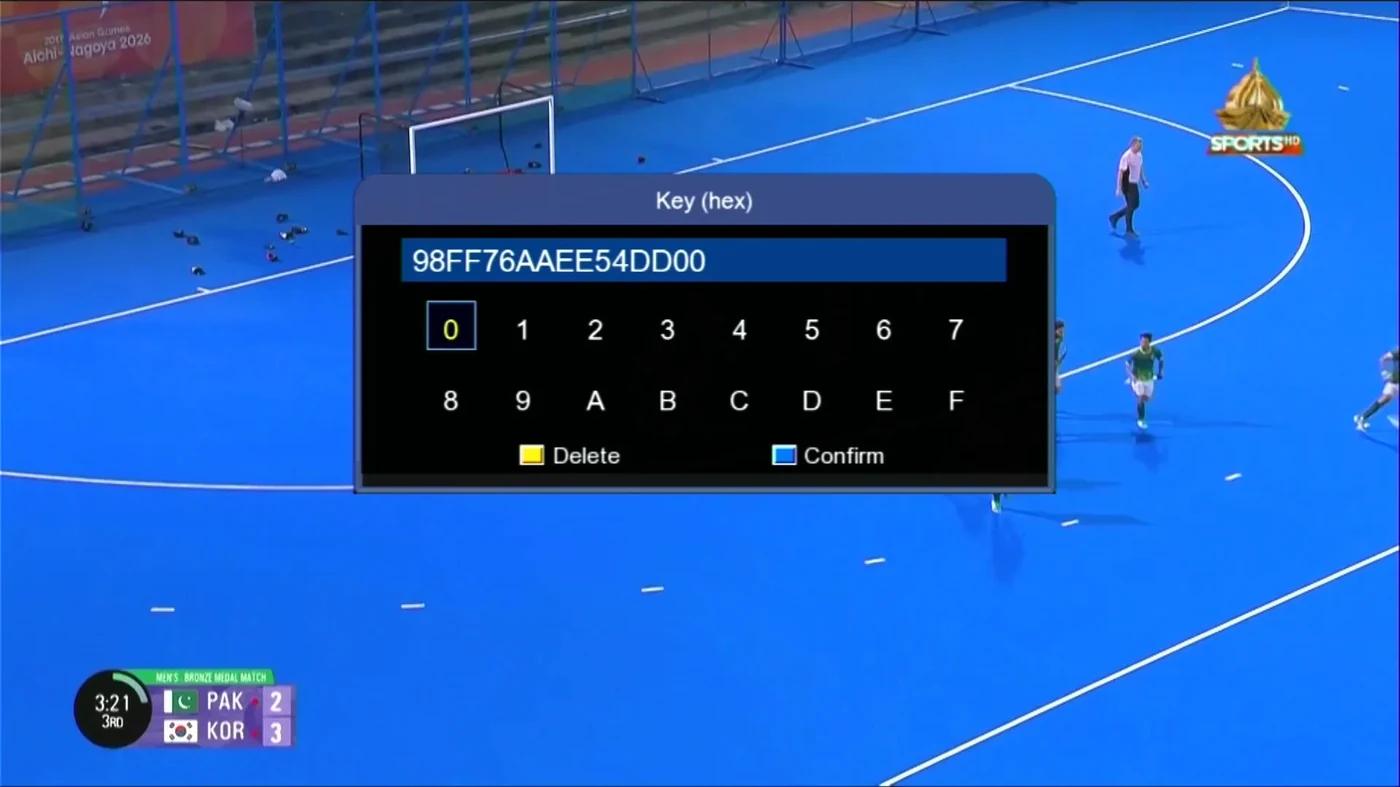
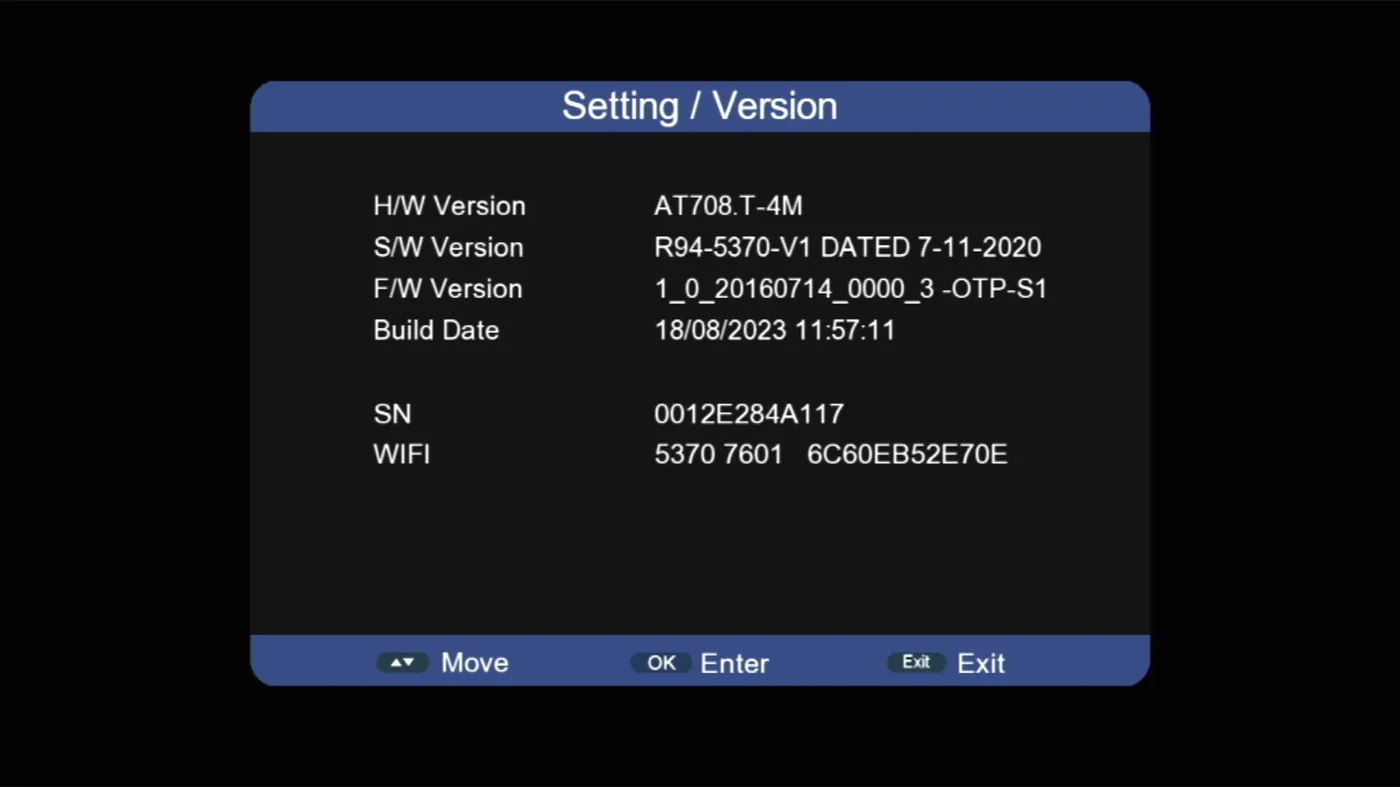
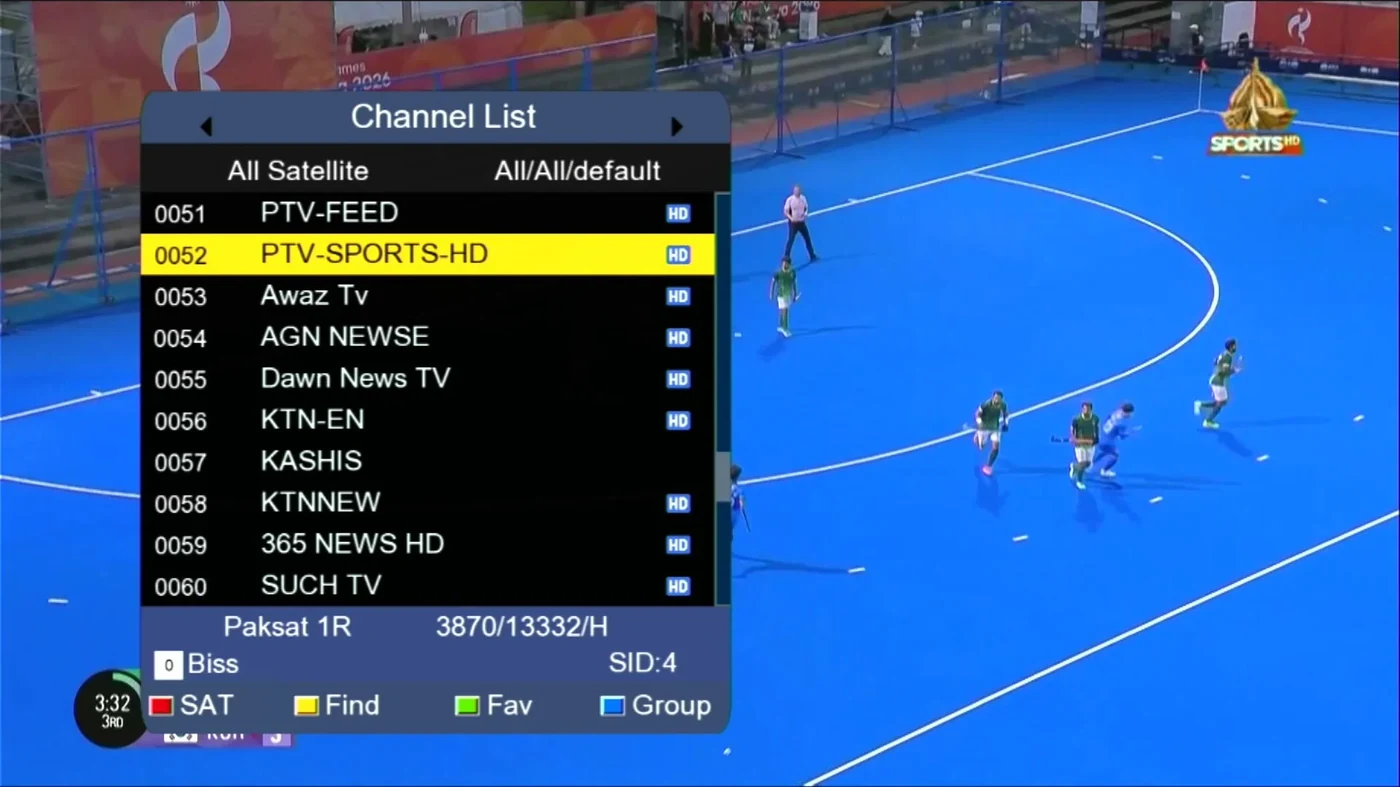
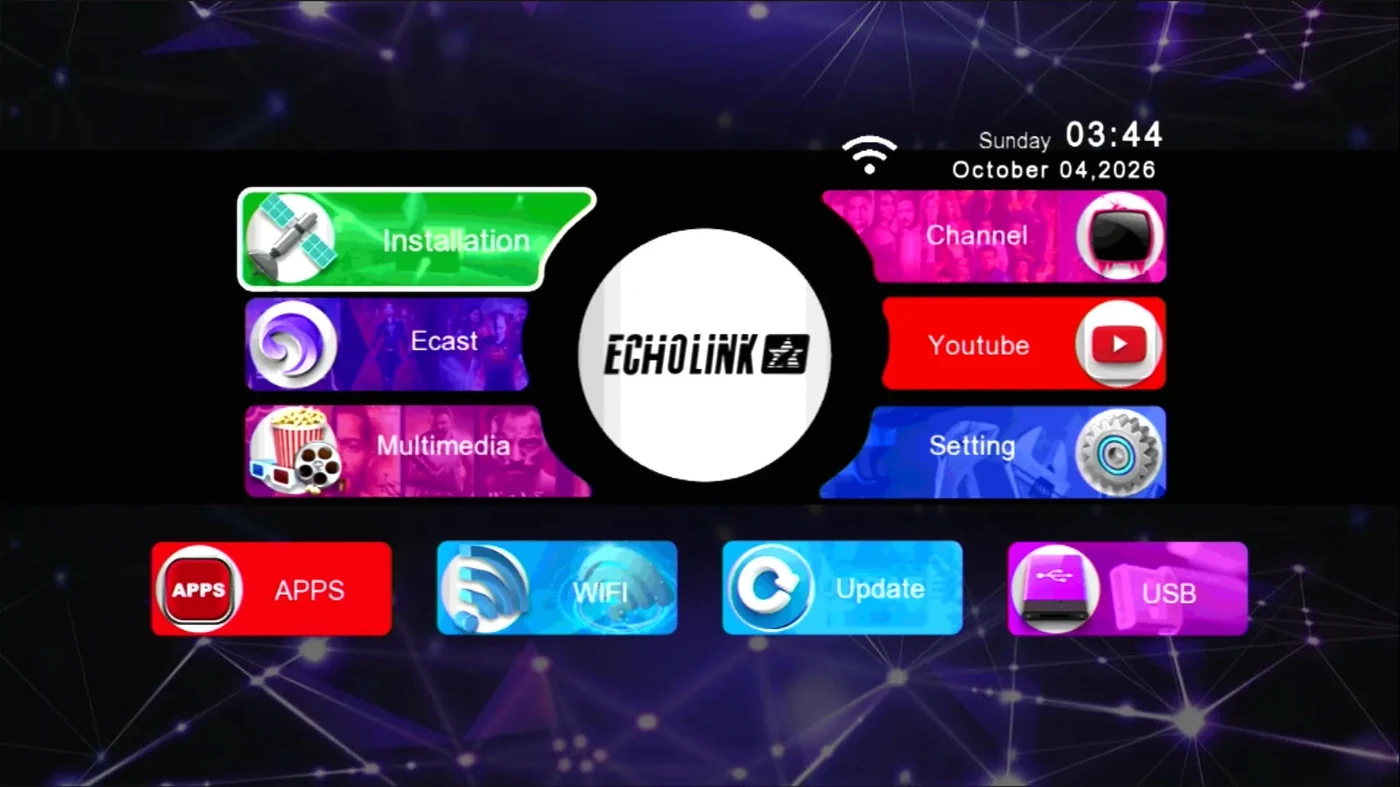
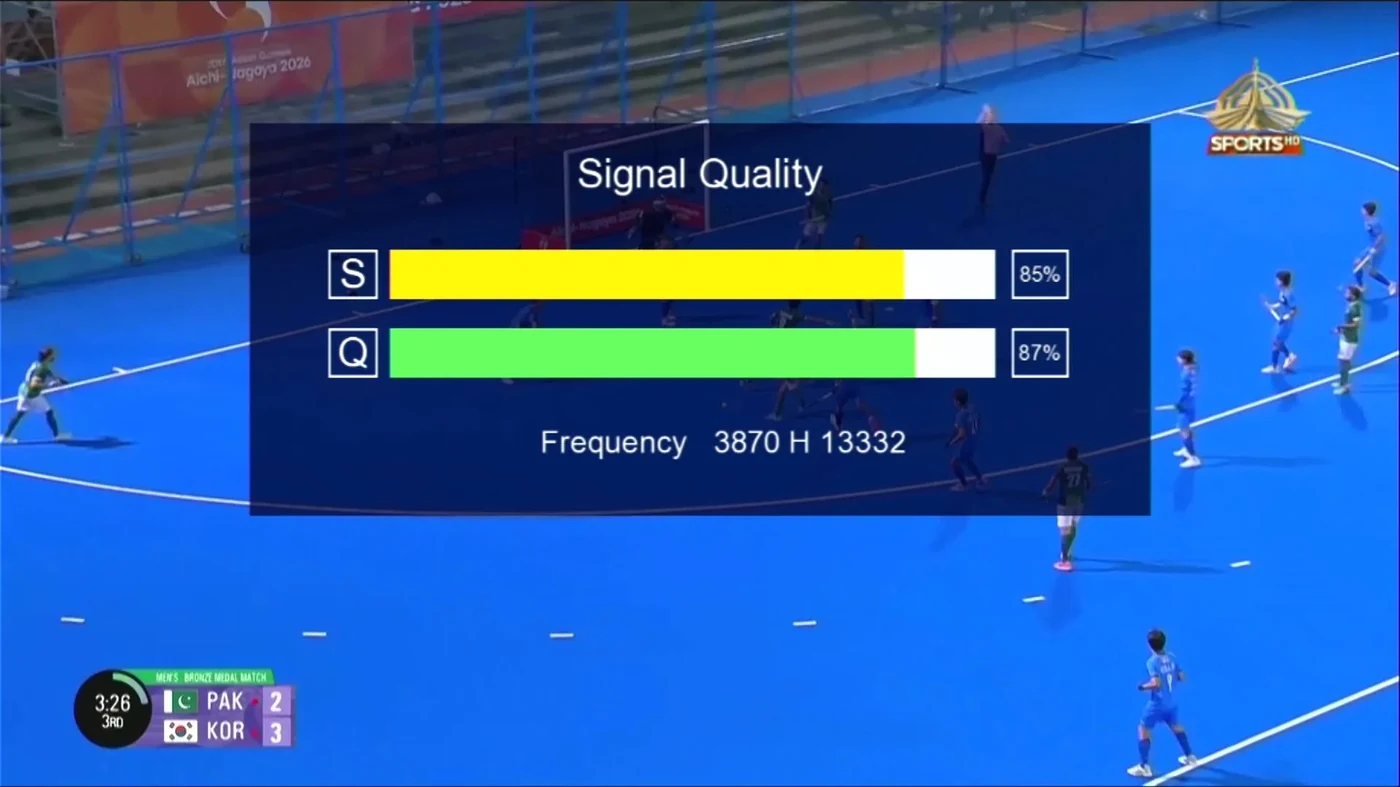
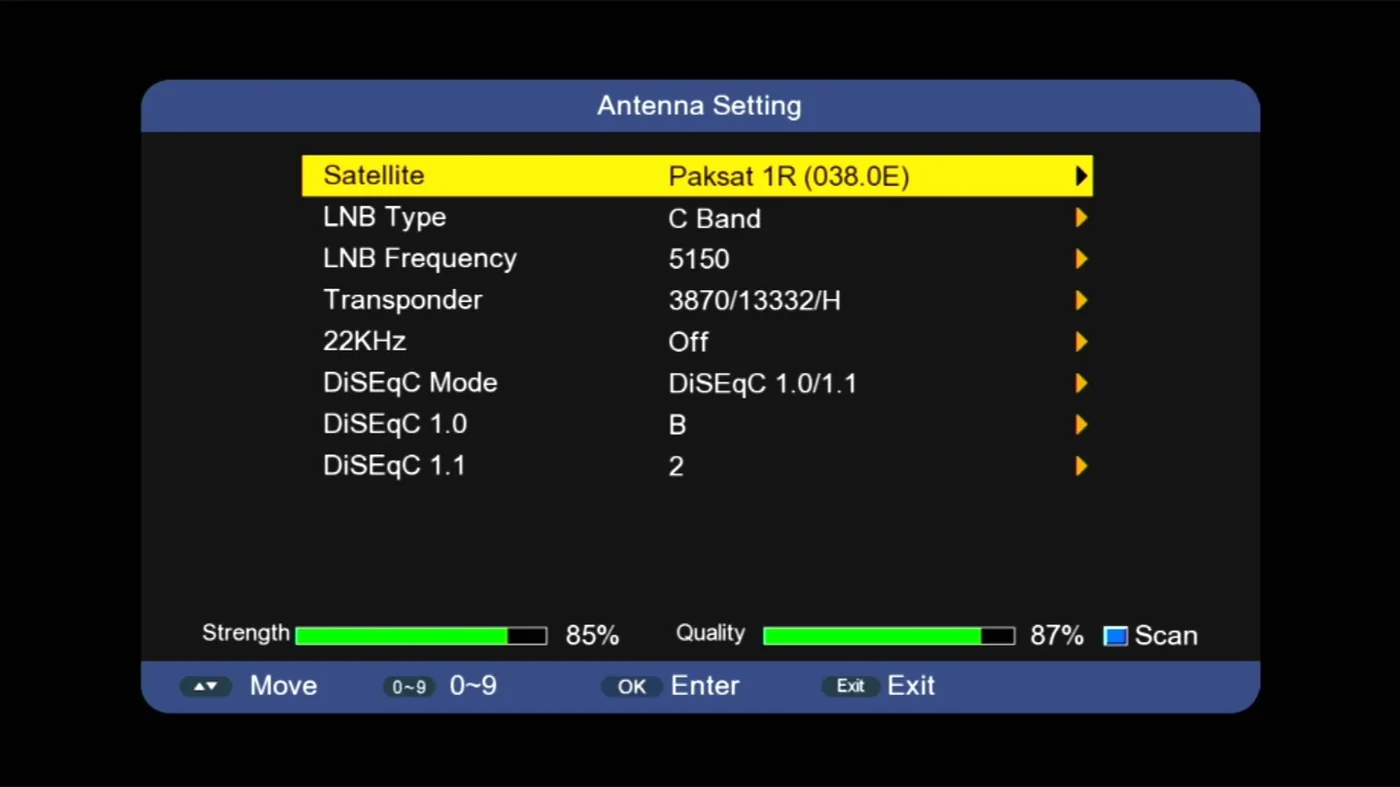
Full board backup dump for the AT708.T-4M receiver (Sunplus 1506HV board, MP1-AVL1506HV-IF-ZZQ_V1.0), made by FST. Shows the Echolink main menu, Antenna Setting, BISS key entry, Setting / Version, Channel List and the Signal Indicator.
โœจ What's New

  • ๐Ÿ’พ Full Board Backup โ€” complete 4 MB dump of the board
  • ๐Ÿ“บ PTV Sports HD โ€” channel list and signal screen as seen on the dump
  • ๐Ÿ–ฅ๏ธ Echolink Main Menu โ€” Installation, Ecast, Multimedia, Channel, Youtube, Setting, APPS, WiFi, Update and USB

๐Ÿ›ฐ Main Features

  • ๐Ÿ›ฐ๏ธ Antenna Setting โ€” satellite, C Band LNB, LNB frequency, transponder, 22KHz and DiSEqC 1.0/1.1
  • ๐Ÿ”‘ BISS Key (hex) entry with Delete and Confirm
  • ๐Ÿ“ถ Signal Indicator โ€” Strength, Quality, modulation and PID/SID
  • โ„น๏ธ Setting / Version โ€” H/W AT708.T-4M, S/W R94-5370-V1, F/W 1_0_20160714_0000_3 -OTP-S1, build date 18/08/2023
โญ AT708.T-4M Backup Dump ยท 4 MB Echolink Menu โ€ข Antenna Setting โ€ข BISS Key โ€ข Signal Indicator โ€ข Channel List

User Interface (AT708.T-4M Backup Dump)

Sunplus 1506HV AT708.T-4M signal indicator on PTV Sports HD
Signal indicator
Sunplus 1506HV AT708.T-4M antenna setting screen
Antenna setting
Sunplus 1506HV AT708.T-4M BISS key hex entry
BISS key entry
Sunplus 1506HV AT708.T-4M setting and version screen
Setting / Version
Sunplus 1506HV AT708.T-4M channel list
Channel list
Sunplus 1506HV AT708.T-4M Echolink main menu
Main menu

Download

VersionDateSizeProcessorUpload byDownloads
AT708.T-4M Backup Dump 2026-10-10 4 MB Sunplus 1506HVFalconSkyTechโ€ฆ Download
NEW DOWNLOAD
1506HV Middle Firmware Download
Download Now →
https://mega.nz/file/eXI0FBhL#bnRzL2RvY3UjGl2DT01xzQAAAAAAAAAATn8z92A9A6Q
Rel6_SV12 V35.11.11-2 2026-10-08

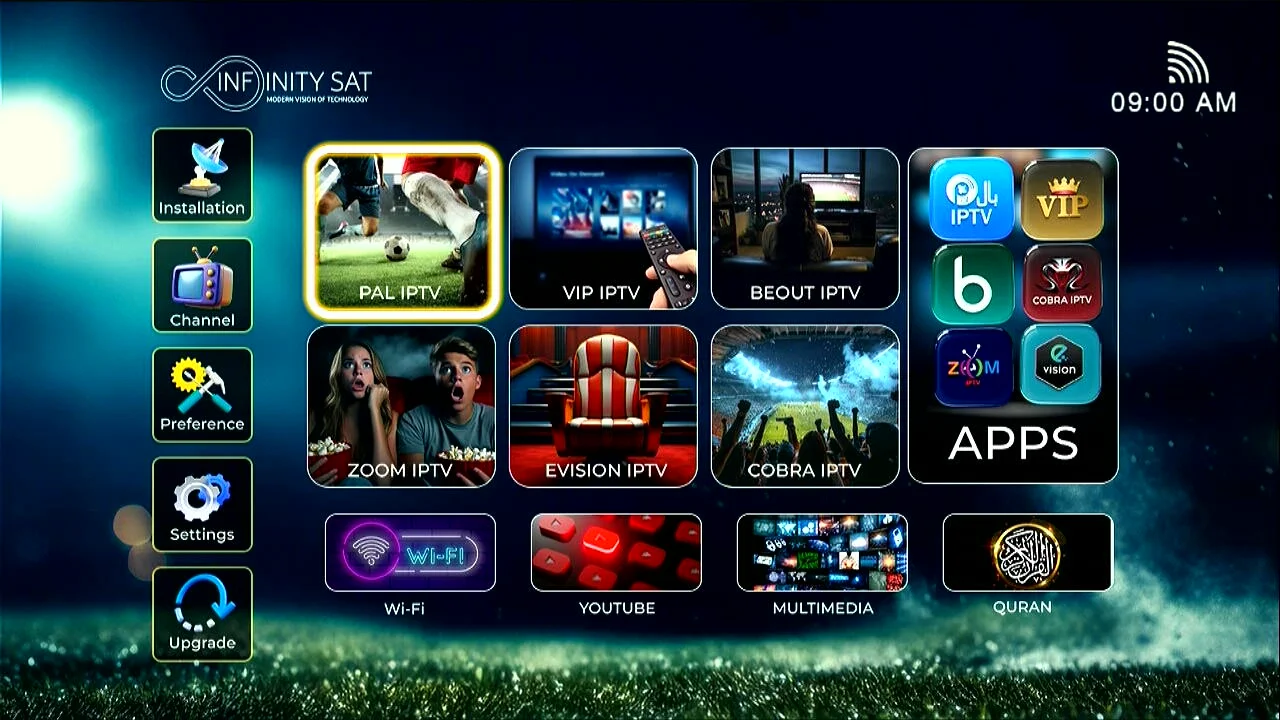
INFINITY SAT U72 PLUS 1506HV Built-in WiFi 4MB SVI12 YouTube & TikTok 12122025
What's new in Rel6_SV12 V35.11.11-2

  • Built-in WiFi support
  • New Infinity Sat home screen with IPTV apps
  • YouTube & TikTok support
  • Quran app
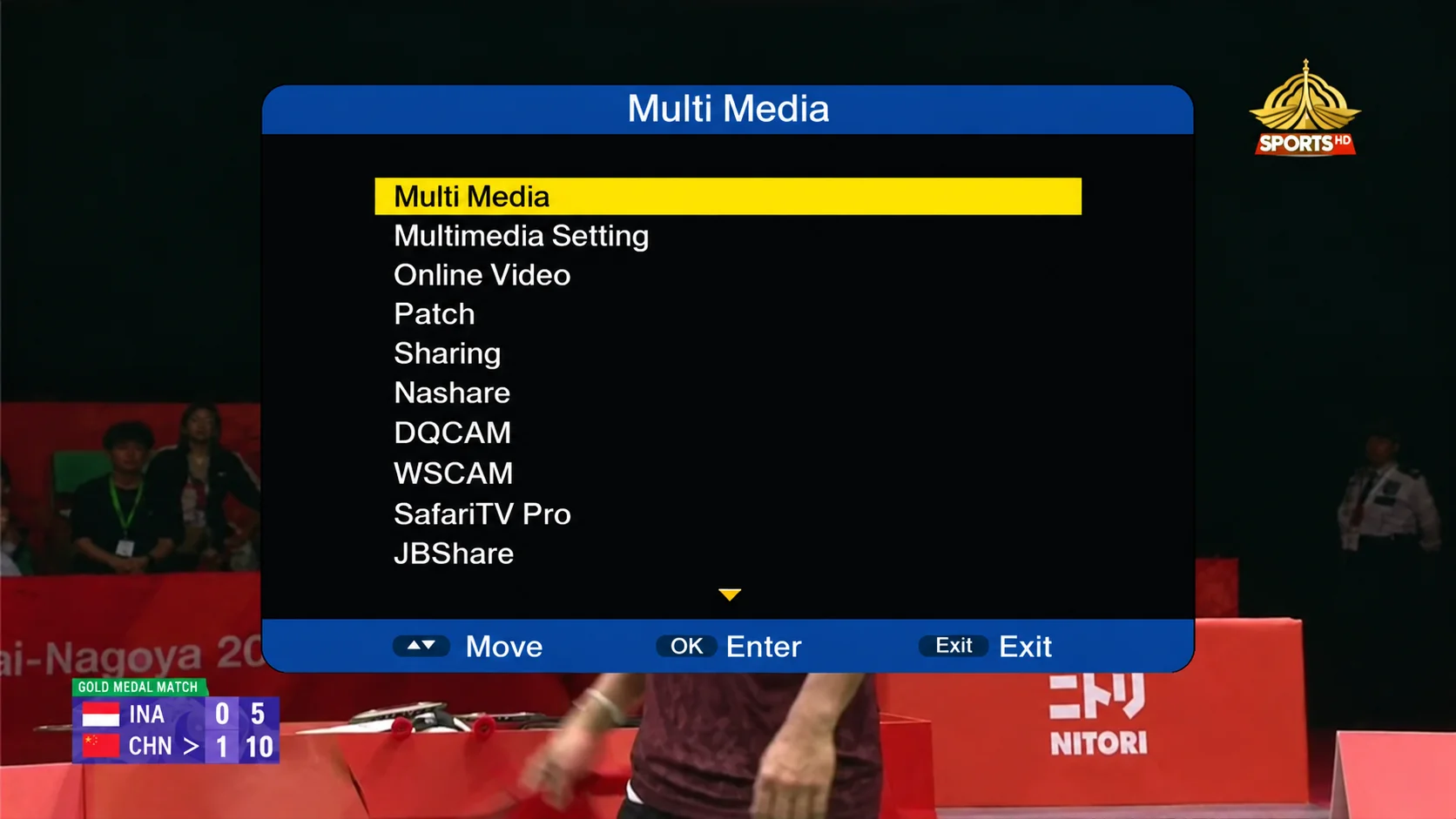
  • Multi Media menu with Online Video & Multimedia Setting
  • Patch menu
  • Sharing, Nashare, DQCAM & WSCAM
  • SafariTV Pro & JBShare
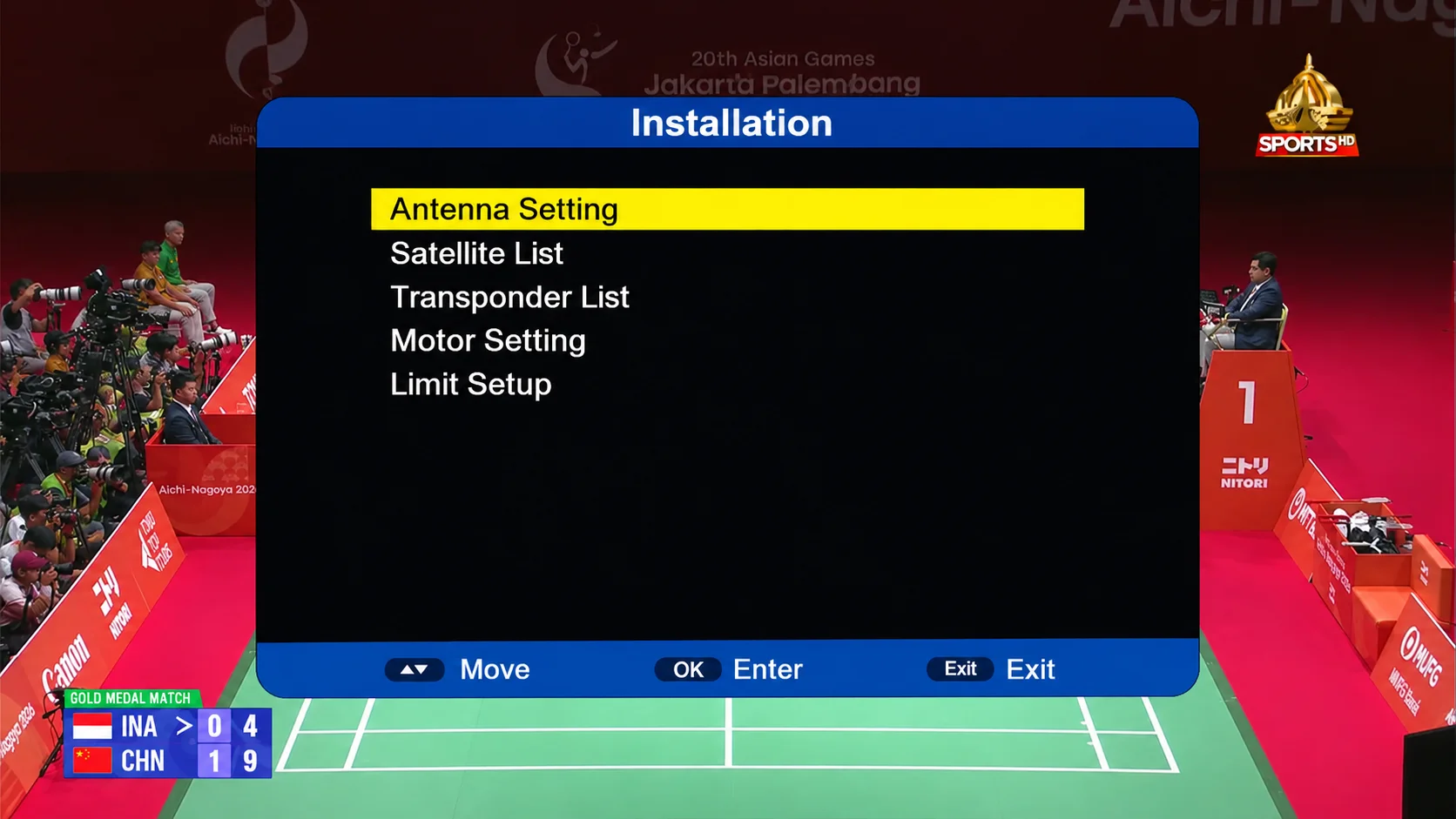
  • Installation: Antenna Setting, Satellite & Transponder List, Motor Setting, Limit Setup
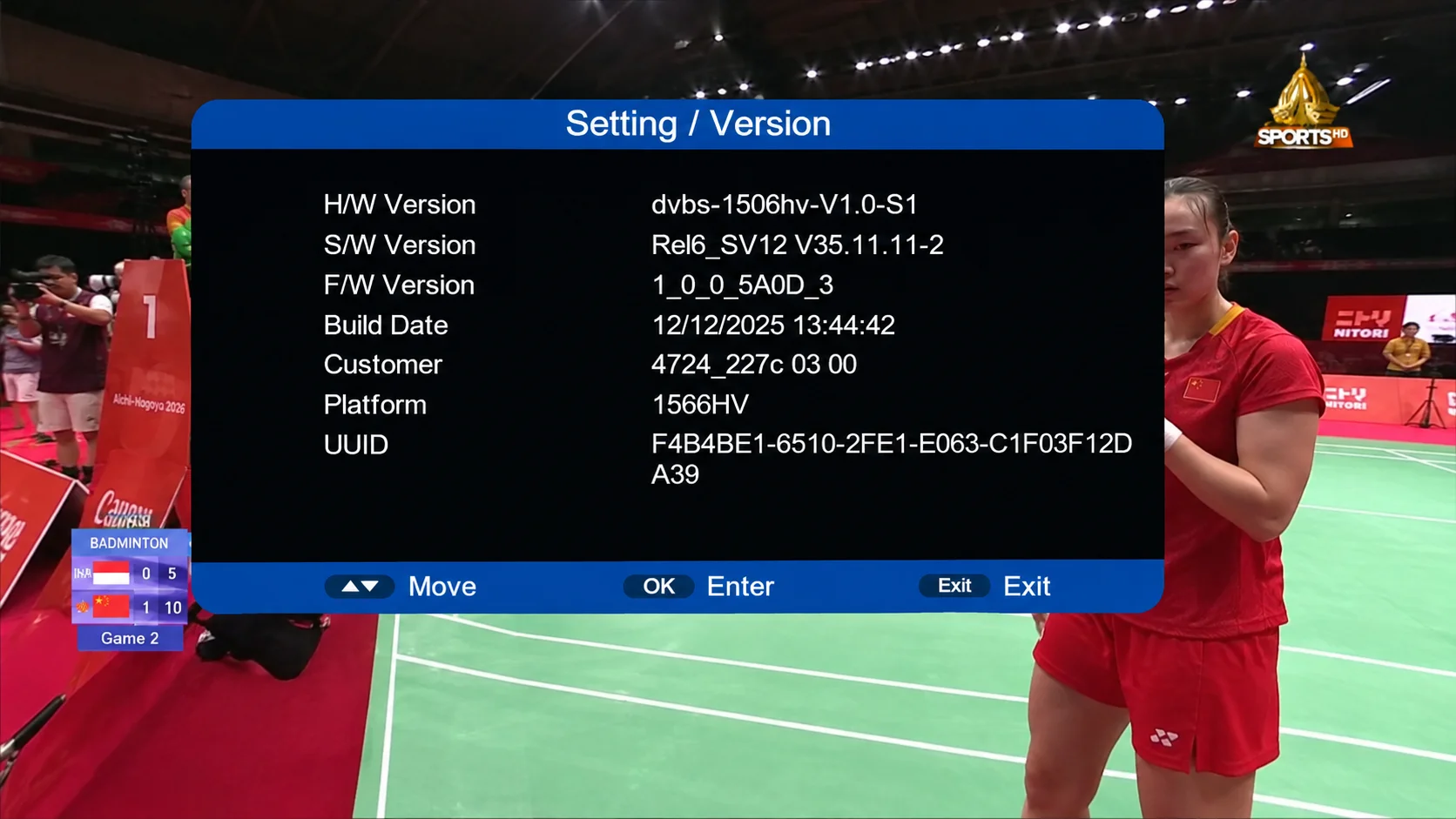
  • Platform 1566HV, H/W dvbs-1506hv-V1.0-S1
  • Build date 12/12/2025

User Interface (SVI12 V35.11.11-2)

Sunplus 1506HV Infinity Sat SVI12 main menu
Main menu
Sunplus 1506HV Infinity Sat SVI12 installation menu
Installation
Sunplus 1506HV Infinity Sat SVI12 Multi Media menu
Multi Media
Sunplus 1506HV Infinity Sat SVI12 setting and version info
Setting / Version

Download

VersionDateSizeProcessorUpload byDownloads
Rel6_SV12 V35.11.11-2 2026-10-08 4 MB Sunplus 1506HVFalconSkyTechโ€ฆ Download
V36.01.01-2 (1506HV/TV) 2026-02

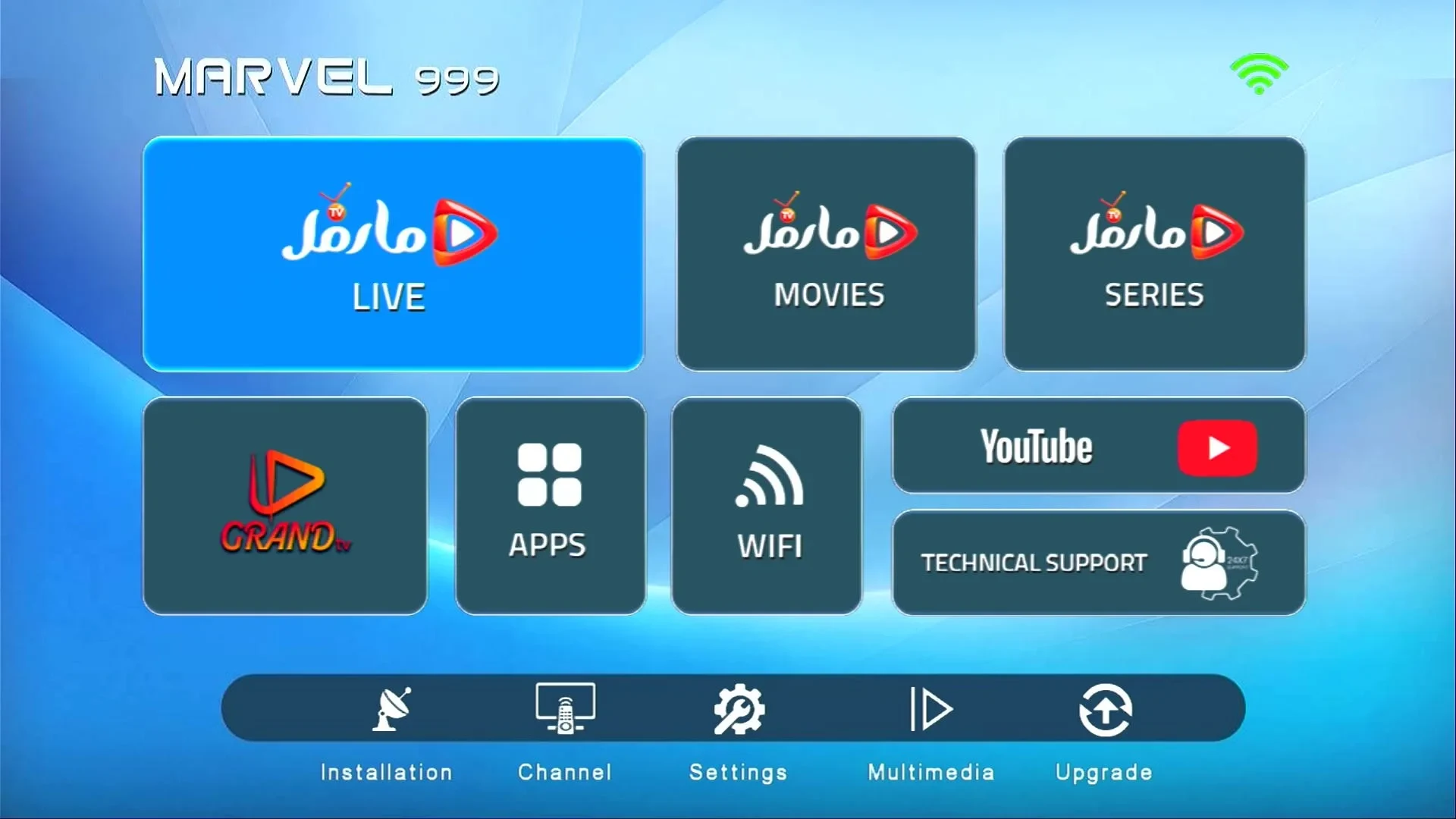
Marvel 999 Built-in WiFi New Software 2026 Download | Zoom Signal | BISS Key With 0 Button
What's new in V36.01.01-2

  • Built-in WiFi support
  • New modern user interface
  • Zoom signal
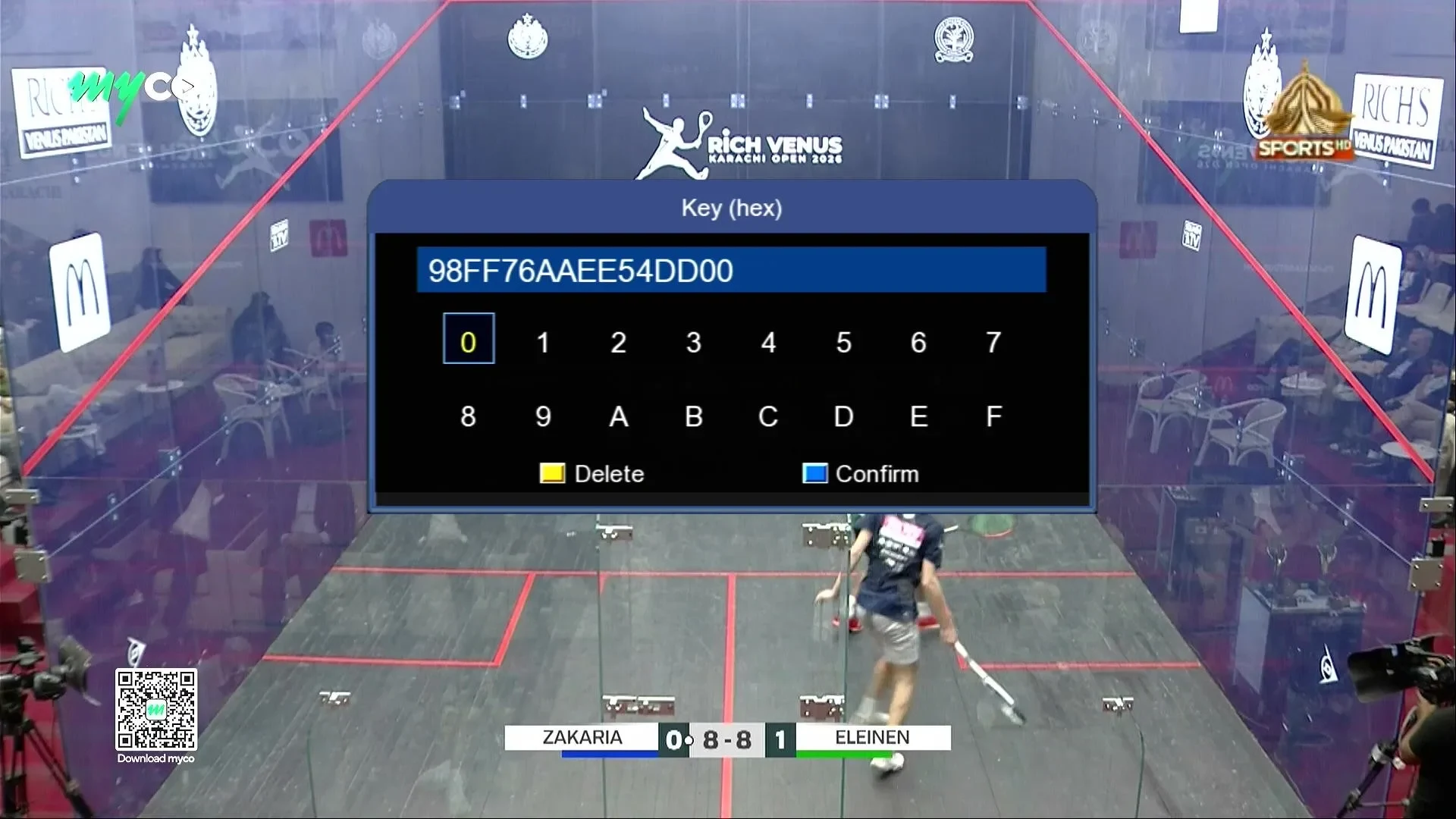
  • BISS key with 0 button
  • PTV Sports fine working
  • BISS key menu added
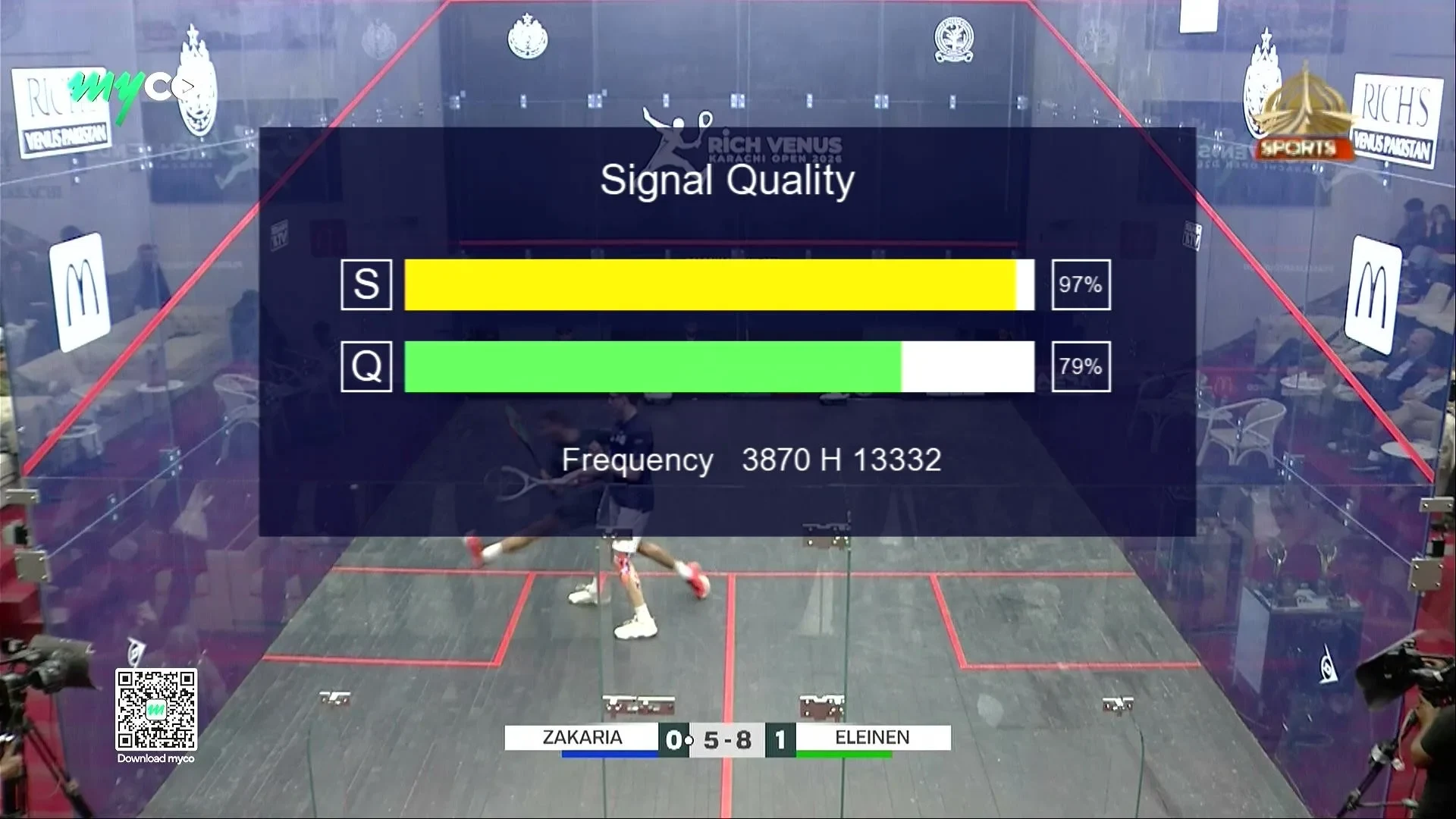
  • Improved signal quality display
  • TikTok fine working
  • YouTube support
  • Nashare
  • Nashare V2
  • G-Share Plus V2
  • G-Share Plus V3
  • Faster performance & stability
  • Bug fixes & system improvements

User Interface

Sunplus 1506HV/TV main menu
Main menu
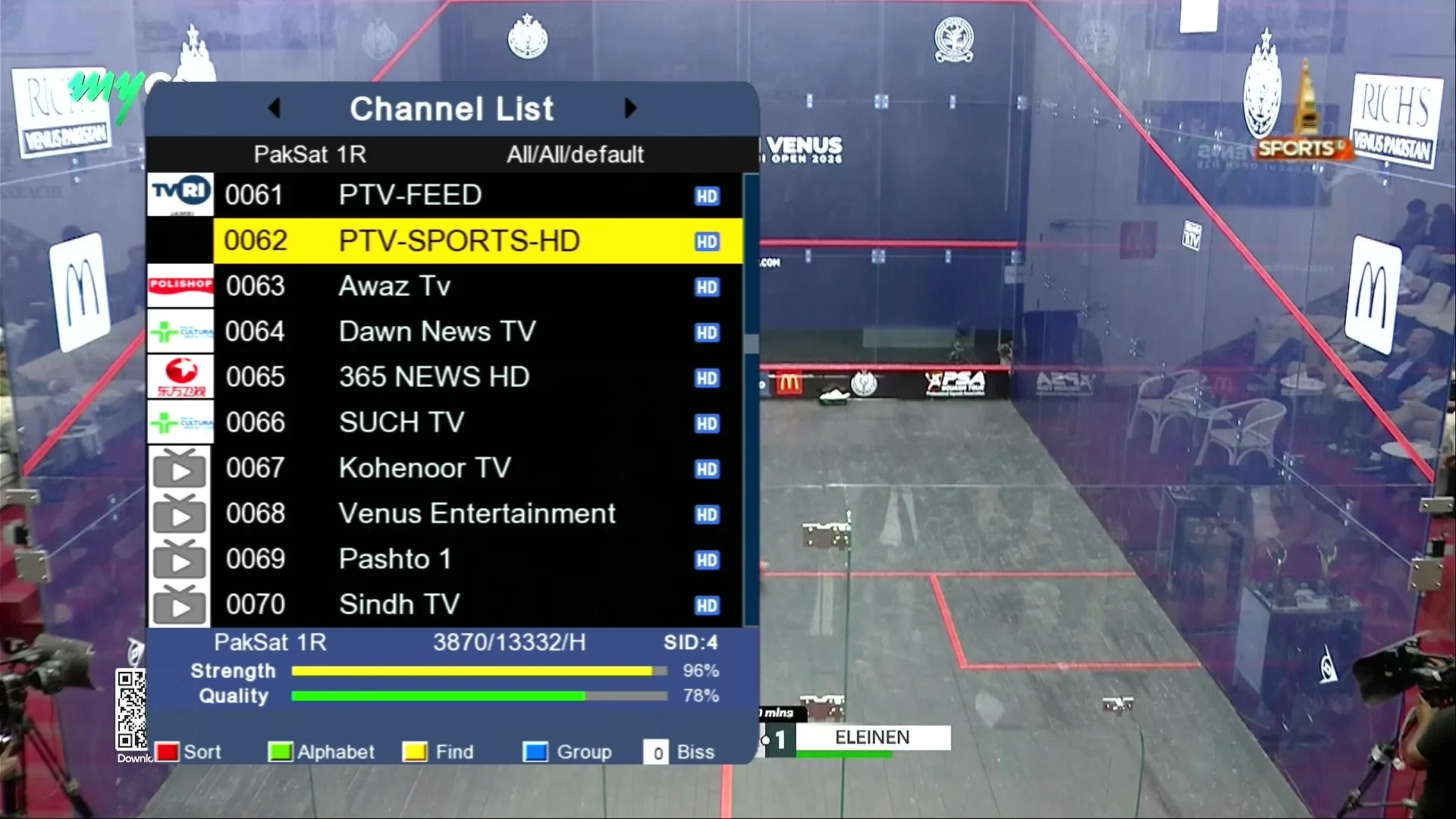
Sunplus 1506HV/TV channel list
Channel list
Sunplus 1506HV/TV signal quality
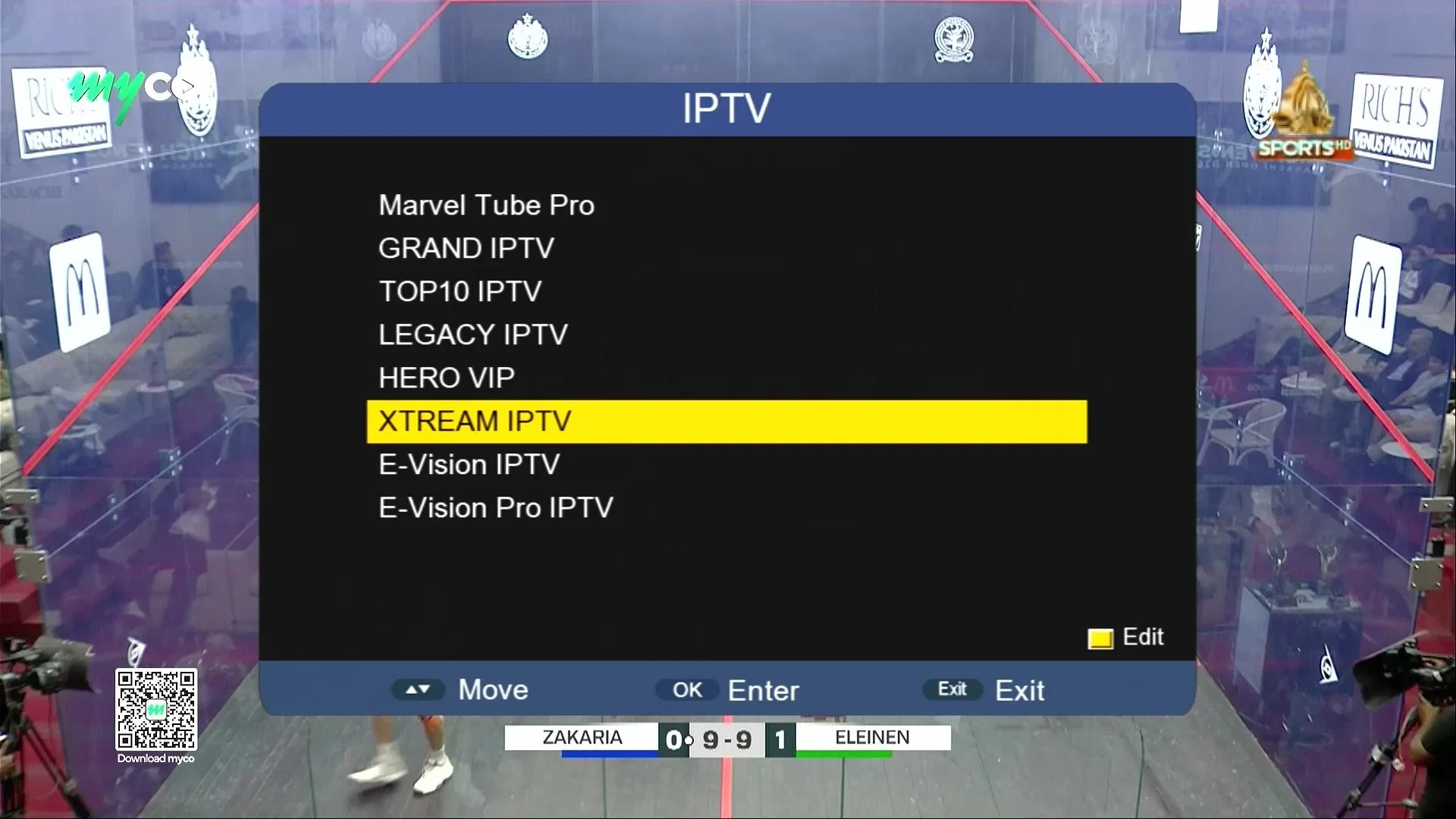
IPTV
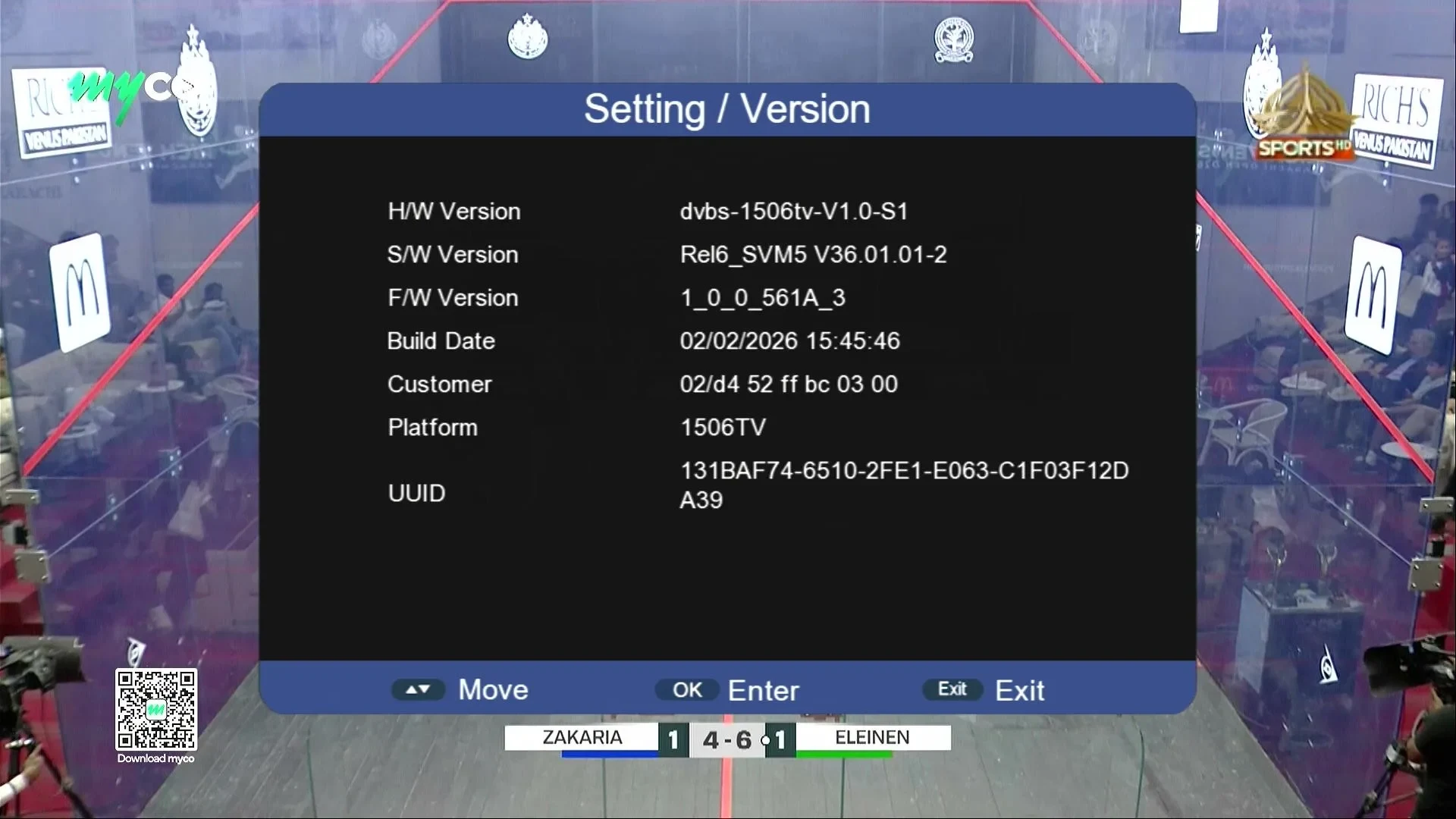
Sunplus 1506HV/TV setting and version info
Setting / Version
Sunplus 1506HV/TV BISS key entry
Signal Infobar
Sunplus 1506HV/TV IPTV apps list
Biss key

Download

VersionDateSizeProcessorUpload byDownloads
V36.01.01-2 (1506HV/TV) 2026-02 4 MB Sunplus 1506HV / 1506TVFalconSkyTechโ€ฆ Download
Check your exact model/version number on the panel or in the menu before updating. Installing the wrong firmware can brick your receiver โ€” never power off during flashing.

How to update

  1. Download the firmware file and copy it onto a USB drive formatted as FAT32.
  2. Plug the USB into the receiver's port and open the Software Upgrade / USB Update option from the menu.
  3. Select the correct file and start the update โ€” do not power off during the process.
  4. The receiver will restart automatically once the update completes.